Screen Studio Review (2026): Beautiful Screen Recordings on Mac — Pricing & Feedback
Research-based review. We haven't tested Screen Studio hands-on yet. This review is built from the vendor's documentation and pricing page and from public feedback by real users, all cited below. How we review
Disclosure: Every review states how it was researched. If you buy through our links we may earn a commission at no extra cost to you — this never affects our verdicts. How we make money.

Screen Studio is the go-to Mac app for good-looking product demos, tutorials and launch videos: it records your screen and automatically adds smooth zooms, cursor smoothing, backgrounds and layouts, with minimal editing. It's rated around 4.9/5 on Product Hunt from 170+ reviews. It's Mac-only, and it has moved to a subscription ($9/month billed yearly or $29 monthly), so it suits people who record regularly.
Best for
- SaaS founders and product marketers recording demos
- Educators and YouTubers making tutorials
- Developers sharing polished walkthroughs
Skip it if
- Windows or Linux users
- Teams needing written step-by-step guides from recordings
Pros
- Automatic zooms and smooth cursor movement make recordings look professionally edited
- Camera layouts, backgrounds, shadows, captions and reusable presets
- Transcript-based editing, filler-word and pause removal, noise reduction
- Record iPhone and iPad over USB with device mockups
- Export MP4 up to 4K, GIFs and shareable links; wide, square and vertical formats
- Excellent reputation: about 4.9/5 on Product Hunt from 170+ reviews
Cons
- Mac only — no Windows version planned
- Subscription pricing; one-time licences no longer sold to new customers
- Free trial and refund terms aren't stated on the website
- Output is video only — not a step-by-step documentation tool
What is Screen Studio?
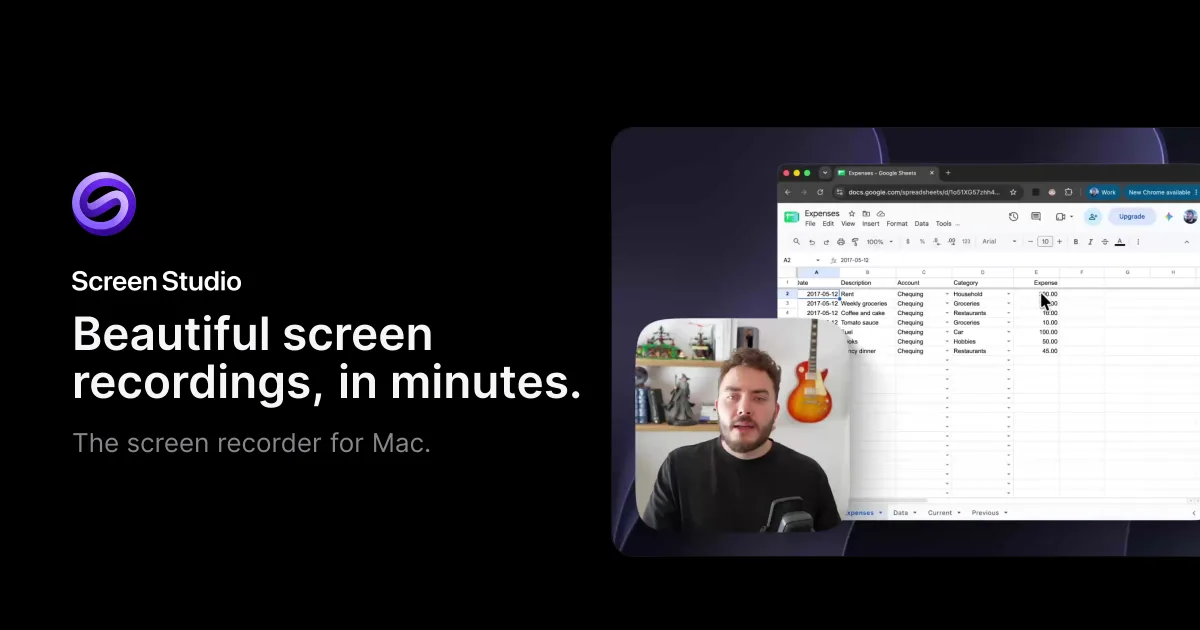
Screen Studio is a screen recorder for macOS that makes recordings look professionally edited without a video editor. As you record, it tracks your clicks and cursor; afterwards it automatically zooms in on the action, smooths cursor movement, and frames everything with backgrounds, shadows and your webcam. The result is the polished style you see in modern product demos and launch videos.
Key features
- Record a full display, a window or an area, with webcam, mic and system audio.
- Automatic and manual zooms (classic and loupe), editable on the timeline.
- Cursor polish: smoothed paths, motion blur, click effects and custom cursor styles.
- Layouts: fullscreen camera, split screen, overlay, screen only or camera cutout.
- Aspect ratios: wide, square and vertical, with zooms adjusting automatically.
- Editing: transcript-based edits, filler-word and pause removal, speed-ups.
- Audio: noise reduction and Podcast mode.
- Captions, presets, masks and highlights for privacy and emphasis.
- iPhone/iPad recording over USB with device mockups.
- Sharing: shareable links, clipboard copy, MP4 up to 4K and GIF export.
Screen Studio pricing (November 2026)
| Billing | Price |
|---|---|
| Yearly | $9/month |
| Monthly | $29/month |
Source: screen.studio, checked November 16, 2026. Every feature is included; students and educators get 40% off. One-time licences are no longer sold to new customers (existing licences remain valid and renewable). The site doesn’t state a free trial or refund policy.
What real users say
Screen Studio is highly rated: around 4.9/5 on Product Hunt from 170+ reviews (checked November 2026). Users consistently praise the automatic zoom and cursor smoothing, the beautiful styled output, and a simple interface that saves hours compared with editing demos by hand. The main criticisms are that it’s Mac-only and that some find the price high — especially after the shift from one-time licences to a subscription.
Who should use Screen Studio?
Good fit: SaaS founders, product marketers, developers, educators and YouTubers on a Mac who record demos or tutorials regularly and want them to look great with minimal effort.
Poor fit: Windows and Linux users, and teams that need written, step-by-step documentation generated from recordings.
Bottom line
If you make product demos or tutorials on a Mac, Screen Studio is the fastest route to recordings that look professionally edited. The yearly plan ($9/month) makes sense for regular use; occasional recorders should weigh the subscription against how often they’ll use it.
What real users say
Common praise
- Automatic zoom and cursor smoothing save hours of editing
- Beautiful, styled output with little effort
- Simple, intuitive interface
Common complaints
- Mac-only
- Pricing feels expensive to some users
Recurring themes summarised from the public reviews and discussions listed in our sources.
Frequently asked questions
How much does Screen Studio cost?
As of November 2026, Screen Studio costs $9/month billed yearly or $29/month billed monthly, with every feature on every plan. Students and educators get 40% off. One-time licences are no longer sold to new customers, though existing licences remain valid.
Does Screen Studio work on Windows?
No. Screen Studio is macOS-only (Ventura 13.1 or later recommended) and the company says there are no near-term plans for Windows.
Can Screen Studio record an iPhone?
Yes — you can record iPhone and iPad screens over USB and frame them in device mockups.
Does Screen Studio have a free trial?
The website doesn't mention a free trial or refund policy. Check its terms or contact the team before subscribing.
Screen Studio vs Loom?
Loom focuses on quick async video messages and sharing. Screen Studio focuses on polished, edited-looking recordings with automatic zooms and styling — better for demos, tutorials and marketing videos.